
Download iSpoofer – Free GPS Spoofing Tool for iOS Gamers
Overview
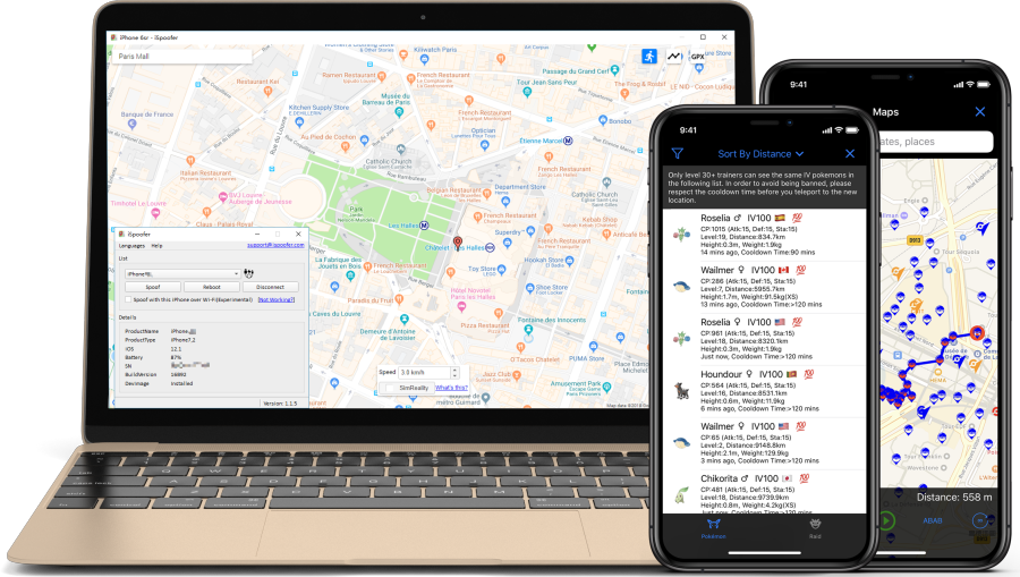
iSpoofer is a specialized navigation utility designed for players of location‑based games (LBG) such as Pokémon Go, Harry Potter: Wizards Unite, and other GPS‑driven adventures. By simulating a fake GPS signal, iSpoofer convinces your iPhone, iPad, or iPod that it is physically located somewhere else on the planet, allowing you to explore rare in‑game hotspots without ever stepping outside. The software works by mounting a developer image onto iOS via iTunes and Xcode, eliminating the need for jailbreaking—a process that can compromise device security. After a simple one‑time installation, you connect your iOS device to a Windows or macOS computer, select a target location on the intuitive map interface, and hit “Spoof.” The app supports three distinct movement modes: instant teleport, custom waypoint routing, and GPX file import for advanced path planning. iSpoofer also enables simultaneous spoofing on multiple devices, making it perfect for households with several phones or for streamers who need to showcase multiple game accounts at once. While the tool opens a world of convenience, it is essential to use it responsibly, as excessive spoofing may trigger anti‑cheat mechanisms and result in temporary bans from the game servers.
Core Features & Compatibility
- Instant location spoofing with a single click.
- Three movement modes: direct teleport, custom route via map pins, and GPX file import.
- Adjustable speed and movement parameters for realistic travel simulation.
- Multi‑device support – spoof several iPhones, iPads, or iPods at the same time.
- No jailbreaking required; works with standard iOS devices.
- Easy map‑based interface with searchable locations worldwide.
- Automatic GPS restoration after a simple device reboot.
- Compatibility with Windows 10/11 and macOS 10.14 or later.
- Free download with optional premium upgrades for advanced routing.
iSpoofer is built exclusively for Apple’s iOS ecosystem. It supports iPhone, iPad, and iPod touch models running iOS 12 or newer. A functional iTunes installation is required for the initial device pairing, and the software leverages Xcode’s developer image mounting process to inject the fake GPS signal. Windows users must install iTunes for Windows, while macOS users can use the native iTunes (or Finder on newer macOS versions) to establish a secure connection. The application does not run on Android, Linux, or non‑Apple mobile platforms.
Installation, Usage & Pros / Cons
Step‑by‑Step Installation
- Download the iSpoofer installer from the official website (ensure you select the Windows or macOS version that matches your computer).
- Install iTunes (if not already present) and the latest Xcode command‑line tools.
- Run the iSpoofer setup wizard; it will automatically download the required developer image for your iOS version.
- Connect your iPhone, iPad, or iPod to the computer via a USB‑C or Lightning cable.
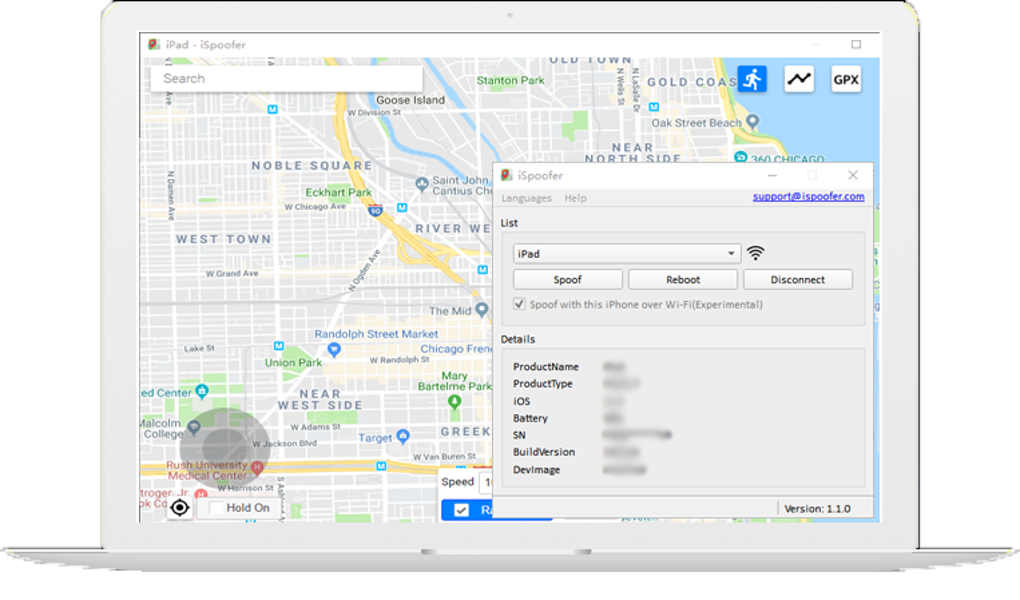
- Launch iSpoofer; the program will detect your device and display its model, iOS version, and battery status.
- Choose your preferred spoofing mode, select a target location on the map, and press “Spoof.”
- When you finish playing, simply reboot your iOS device to restore the genuine GPS signal.
Pros
- No jailbreak required: Maintains device integrity and warranty.
- Multi‑device support: Great for families or streamers.
- Customizable routes: Realistic movement reduces detection risk.
- Free core version: Access to essential spoofing without paying.
- Cross‑platform desktop: Works on both Windows and macOS.
Cons
- Only compatible with iOS devices; Android users must look elsewhere.
- Requires iTunes and Xcode components, which can be a hurdle for beginners.
- Frequent software updates from Apple may temporarily break compatibility.
- Using the tool against game terms of service can lead to bans if abused.
- Advanced features (GPX import, batch routing) are locked behind a premium upgrade.
FAQ & Conclusion
Frequently Asked Questions
Is iSpoofer safe to use on my iPhone?
Yes. iSpoofer does not modify system files or require jailbreaking. It simply mounts a developer image to simulate GPS data, which can be removed by rebooting the device.
Can I use iSpoofer on Android devices?
No. iSpoofer is built exclusively for iOS. Android users should look for alternatives such as Fake GPS GO or similar apps that support Android’s location services.
Do I need to pay for iSpoofer?
The core version is free and includes basic spoofing, teleport, and simple routing. Premium features like GPX file import and batch device management require a one‑time purchase.
Will using iSpoofer get me banned from games?
Game developers actively monitor GPS anomalies. While iSpoofer tries to mimic natural movement, excessive or unrealistic spoofing can trigger anti‑cheat systems. Use it sparingly and reset your location after each session to reduce risk.
Do I need a Mac to run iSpoofer on Windows?
No. iSpoofer provides native Windows installers. You only need iTunes for Windows and the Xcode command‑line tools (available via the Apple Developer website) to complete the setup.
Conclusion – Should You Download iSpoofer?
If you’re an iOS gamer who spends countless hours chasing rare Pokémon or hunting magical creatures across town, iSpoofer offers a practical, secure, and cost‑effective shortcut. Its straightforward map interface, multi‑device capability, and customizable movement options make it one of the most user‑friendly GPS spoofers on the market. While the free version covers most casual needs, the premium upgrade unlocks powerful routing tools for power users.
Remember, responsible use is key—over‑spoil can lead to account penalties. Ready to level up your location‑based gaming experience without leaving the couch? Download iSpoofer now and start exploring the world from the comfort of your home.







